From Deposition to Courtroom: Building Trial-Ready Legal Video, Clips & Synchronized Transcripts
A practical guide to turning recorded testimony into organized, synchronized, trial-ready legal media for litigation teams.
A deposition can last seven hours.
The testimony that changes a case may last seven seconds.
A witness pauses.
An expert makes a concession.
A corporate representative gives an answer that cannot be reconciled with the company’s position at trial.
A plaintiff describes an injury in words that carry considerably more weight when the jury can see and hear how those words were delivered.
The testimony exists in the record. But finding it, organizing it, synchronizing it, clipping it, and presenting it effectively are entirely different problems.
That is where professional legal video production becomes more than post-production.
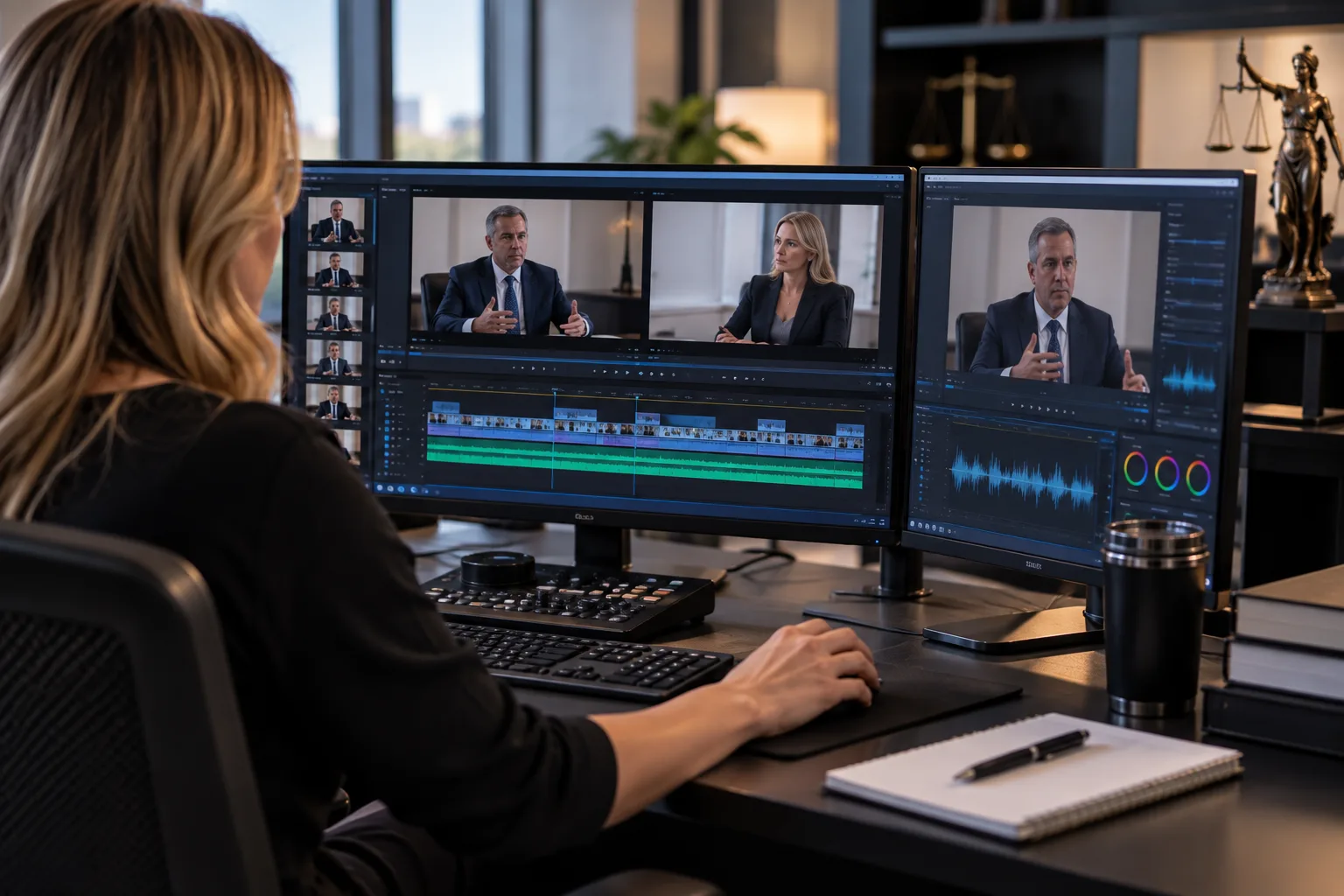
Done correctly, legal video editing transforms hours of recorded proceedings into precise, searchable, trial-ready media that a litigation team can deploy when it matters.
For attorneys and paralegals preparing for mediation, arbitration, hearings, settlement conferences, or trial, the objective is not simply to have video.
The objective is to have the right testimony, immediately accessible, accurately synchronized to the transcript, professionally edited, and ready for presentation.
The Difference Between Recorded Testimony and Usable Trial Media
Modern litigation produces enormous amounts of information.
Deposition transcripts may run hundreds of pages. Video depositions can consume hours of footage. A complex matter may involve dozens of witnesses, experts, exhibits, and multiple rounds of testimony taken months—or years—apart.
Technically, the evidence is there.
Operationally, that does not mean it is ready.
Imagine preparing for cross-examination and discovering that the testimony you need is buried at 4:17:36 in a six-hour deposition video.
Or preparing an impeachment sequence when the transcript citation is known, but nobody has isolated the corresponding video.
Or receiving a request from lead trial counsel:
Lead counsel request“I need the section where he admits he never inspected the property before signing the report.”
The trial team should not have to scrub through hours of footage to find it.
Professional legal video production creates the bridge between the record that exists and the media the litigation team can actually use.
The raw deposition is the source.
The synchronized, organized, clipped, presentation-ready version is the litigation asset.
What Is a Synchronized Deposition Transcript?
Transcript synchronization—often called deposition synchronization or video synchronization—aligns the official written transcript with the corresponding deposition video and audio.
The result is a direct relationship between what appears on the transcript and what occurred on camera.
Instead of treating the transcript and video as two separate files, synchronization allows testimony to be located and prepared according to the transcript itself.
That changes the workflow dramatically.
An attorney may identify testimony by page and line:
Page 147, line 8 through page 149, line 2.
Rather than manually searching the recording for the corresponding moment, a properly synchronized workflow allows that transcript designation to be associated with the correct portion of video.
For litigation teams working with extensive testimony, that can turn an otherwise cumbersome media archive into something far more useful.
Why synchronization matters
A written transcript gives counsel precision.
Video gives testimony presence.
Synchronization connects the two.
The transcript tells you exactly what was said and where it appears in the record.
The video preserves how it was said.
A transcript cannot fully reproduce hesitation.
It cannot show a witness looking toward counsel before answering.
It cannot convey cadence, facial expression, posture, emphasis, or the difference between an immediate answer and a response that follows a prolonged pause.
Those observations do not automatically determine what evidence is admissible or what conclusions a factfinder should draw.
But they are part of what occurred.
And when video testimony is properly available for use, counsel can evaluate the complete presentation rather than words alone.
Deposition Video Clipping: Turning Hours of Testimony Into Precise Segments
A deposition clip is a selected portion of recorded testimony extracted for review or presentation.
That sounds simple.
In litigation, it often is not.
A professionally prepared clip must begin and end at the appropriate point, correspond to the intended testimony, maintain intelligible audio and video, and avoid editing choices that create confusion about what was actually said.
Depending on the matter and intended use, clips may be prepared from page-and-line designations, timestamps, attorney notes, deposition summaries, or other instructions supplied by the litigation team.
Examples might include:
Clip 01 — Foundation
Page 42, line 7 through page 44, line 11
Clip 02 — Prior Knowledge
Page 117, line 19 through page 119, line 6
Clip 03 — Inspection Admission
Page 203, line 4 through page 204, line 17
Now the attorney does not have one enormous video file.
The attorney has discrete pieces of testimony organized around the issues in the case.
That is a fundamentally different litigation tool.
The Seven-Second Problem
Some of the most consequential testimony in a case can be extraordinarily short.
Consider a hypothetical product-liability deposition:
Q. Before approving the revised design, did you review the failure analysis?
A. No.
On paper, the exchange occupies two lines.
In the deposition room, however, there may have been several seconds of silence before the answer.
The witness may have asked for the question to be repeated.
The answer may have been delivered differently than counsel expected.
None of those circumstances changes the words in the official transcript.
But the video contains another layer of information: the actual presentation of the testimony.
That is one reason litigation teams should think carefully about video long before anyone walks into a courtroom.
The important unit is not necessarily the six-hour deposition.
It may be the seven seconds inside it.
Why Trial Teams Build Clip Libraries Before Trial
Waiting until trial to begin organizing deposition media creates unnecessary risk.
Trial moves quickly.
Questions change.
Witnesses surprise counsel.
Rulings affect strategy.
An examination that looked straightforward during preparation can change after a single unexpected answer.
When that happens, trial counsel may need prior testimony immediately.
Not after lunch.
Not tomorrow morning.
Immediately.
A well-organized clip library can give the team a collection of pre-produced testimony organized around witnesses, subjects, claims, defenses, experts, or anticipated examination points.
For example:
Dr. Williams — Causation
- Prior medical history
- Alternative causation
- Diagnostic methodology
- Reliance materials
- Assumptions
- Literature
- Opinions offered
- Concessions
Corporate Representative — Notice
- First reported incident
- Internal investigation
- Safety meetings
- Written warnings
- Policy revisions
- Management knowledge
- Remedial chronology
The organization should follow the litigation strategy—not merely the chronology of the recording.
That is when legal video production becomes genuinely useful.
The Anatomy of a Trial-Ready Deposition Clip
A trial-ready clip should not feel like a piece of internet video.
This is not entertainment editing.
It is litigation media.
The objective is generally restraint, clarity, accuracy, and predictability.
A professional workflow may consider:
Accurate in-and-out points
The clip should capture the intended testimony without unintentionally cutting a question, answer, qualification, or necessary context.
Transcript alignment
When the clip is created from page-and-line designations, the video should correspond to those requested designations as accurately as the available source materials allow.
Clean playback
Unexpected freezes, corrupted frames, missing audio, extreme level changes, or encoding problems are unacceptable surprises during a proceeding.
Consistent media specifications
A collection of clips produced from multiple depositions should be prepared with the intended playback environment in mind.
Logical file naming
“final_video_7_NEW_v2.mp4” is not a trial strategy.Media should be identifiable.
A useful naming convention might resemble:
SMITH_Notice_P143L08-P145L02.mp4or
SMITH_03_PriorKnowledge.mp4The exact convention can vary.
The principle should not:
Someone other than the person who created the file should be able to understand what it is.
Video Depositions and Impeachment
One of the most powerful uses of organized deposition video is preparation for potential impeachment.
Suppose a witness testifies at trial:
“I personally reviewed every inspection report.”
Counsel knows the witness testified differently during deposition.
A litigation team that has prepared the relevant testimony can locate the prior statement quickly and determine how counsel wishes to use it, subject to the applicable evidentiary and procedural rules and the court’s rulings.
The practical difference is significant.
Without preparation, someone is searching a transcript.
Then searching a video.
Then determining the correct segment.
Then exporting it.
Then checking it.
Then transferring it.
Then hoping it plays.
With preparation, the testimony has already been identified, synchronized, clipped, named, organized, and tested.
Counsel can focus on advocacy.
That is exactly what good litigation technology should accomplish.
Synchronized Video Can Also Transform Case Preparation
The value of synchronization does not begin at trial.
It can be useful throughout litigation.
Consider an attorney reviewing the deposition of an opposing expert.
A transcript provides the language.
A synchronized recording lets the attorney revisit the testimony while evaluating both the words and the way the examination unfolded.
The attorney can examine:
where the expert became qualified or hesitant;
which questions produced direct answers;
where qualifications appeared;
whether testimony changed after follow-up;
which sections may warrant additional research;
which portions could become useful during motion practice, mediation, or trial preparation.
For paralegals and litigation support teams, synchronization can also simplify the process of locating and preparing requested testimony.
When counsel asks for five portions of a deposition, the staff should not have to become video editors simply to deliver them.
The Paralegal’s Role in Legal Video Preparation
Paralegals are often the operational center of complex litigation.
They may coordinate transcripts, exhibits, deposition files, expert materials, designations, trial databases, vendors, attorneys, and last-minute requests simultaneously.
A good legal video workflow should reduce that burden.
It should not create another one.
When requesting deposition clips or synchronized media, a paralegal should ideally be able to provide straightforward information such as:
- Matter:
- Anderson v. Example Corp.
- Witness:
- Robert Smith
- Deposition date:
- June 14
- Requested testimony:
- P. 117:19–119:6
- Requested use:
- Trial preparation
- Deadline:
- September 22
The production team should be capable of translating those instructions into properly organized deliverables without forcing legal staff to explain basic deposition mechanics.
That matters because the best legal vendors understand an important distinction:
The litigation team should direct the substance. The production team should manage the media.
When a Case Has Multiple Depositions
The need for organization increases exponentially as a case grows.
A matter involving one witness may produce several hours of video.
A significant commercial case, catastrophic-injury action, mass tort matter, employment case, construction dispute, or complex medical case may involve dozens of depositions.
At that scale, thinking in terms of “video files” becomes inadequate.
The team needs a media architecture.
That might include organization by:
or:
The appropriate structure depends on the case.
A plaintiff-side team preparing damages testimony may organize differently from defense counsel preparing expert impeachment.
A commercial litigation team may organize clips around contract interpretation, notice, representations, damages, and causation.
A medical malpractice team may organize around standard of care, causation, chart entries, differential diagnosis, and damages.
The technology should conform to the litigation strategy—not the other way around.
Legal Video Editing Is Not Ordinary Video Editing
There is a major difference between editing a promotional video and editing recorded legal proceedings.
Commercial editors are trained to make video feel faster.
They remove pauses.
Tighten speech.
Rearrange sequences.
Use music.
Change pacing.
Enhance emotion.
Create a narrative.
Those can be excellent techniques for advertising.
They can be completely inappropriate for evidentiary media.
Legal video production requires a different instinct.
Do not make the witness more compelling.
Do not make the witness less compelling.
Do not manufacture pacing.
Do not editorialize through the edit.
The goal is to preserve and present the requested portion of the record as faithfully and clearly as possible, while following the litigation team’s instructions and applicable court requirements.
That restraint is a professional skill.
What About Objections and Deposition Designations?
Trial clips may require more than simply extracting continuous testimony.
Counsel may exchange deposition designations and counter-designations. Objections may be ruled upon. Certain testimony may be excluded. Different versions of clips may be needed as rulings develop.
This is why version control matters.
The difference between:
Smith_Final.mp4and
Smith_Final_FINAL2_USETHIS.mp4may become terrifying at 8:15 a.m. on the morning of trial.
A disciplined workflow should make it possible to identify what was requested, what changed, and which media corresponds to the current instructions.
When courts or counsel require specific handling of objections, captions, designations, or playback, the production workflow should accommodate those requirements rather than assume every jurisdiction, judge, or proceeding operates identically.
Trial-Ready Media Is More Than Deposition Clips
Legal video production can encompass a broader collection of litigation media.
Depending on the case, attorneys may need preparation or editing involving:
deposition testimony;
expert testimony;
hearing or proceeding recordings when lawfully available for the intended use;
day-in-the-life footage;
demonstrative video;
surveillance or other produced video;
body-worn camera footage;
security video;
recorded interviews where appropriate;
exhibit-integrated presentations;
picture-in-picture presentations;
multimedia timelines;
trial presentation assets.
Each category presents different technical and legal considerations.
The common objective is the same:
Take complex source material and make it reliably usable by the litigation team.
Body Camera and Surveillance Video: Finding the Moment That Matters
Some litigation teams face the opposite problem from deposition video.
There may be too much footage.
Hours of body-worn camera recordings.
Multiple surveillance angles.
Long stretches of security footage.
Different file formats.
Different timestamps.
Different cameras.
The attorney may need only a handful of moments.
Professional clipping and organization can isolate requested segments while maintaining clear identification of the source material and preserving the relationship to the original files.
Again, the purpose is not cinematic editing.
It is accessibility.
The attorney should be able to say:
“Give me Camera 3 from 14:32:18 through 14:34:07.”
And receive an intelligible, clearly identified segment suitable for the intended litigation workflow.
Picture-in-Picture and Exhibit-Integrated Testimony
Some testimony becomes easier to understand when the viewer can simultaneously see the witness and the material being discussed.
For example, an expert may be questioned about:
an engineering diagram;
a medical image;
a contract provision;
a photograph;
a financial statement;
a timeline;
an inspection report.
Where appropriate and authorized by the litigation team, presentation media can be prepared so the testimony and referenced material can be viewed together.
The objective is not spectacle.
It is comprehension.
Complex cases often fail at the communication layer.
The attorneys understand the evidence.
The experts understand the evidence.
The litigation team has lived with the evidence for two years.
The jury has not.
Effective trial media helps close that gap.
The Most Expensive Video Problem Is Often Discovered Too Late
A surprising number of media problems remain invisible until someone attempts playback.
A file exists.
Therefore everyone assumes it works.
Then trial preparation begins.
The audio is barely intelligible.
A proprietary codec will not play on the presentation system.
The video contains an unexpected interruption.
The requested testimony was clipped incorrectly.
A source file is missing.
The wrong witness version was exported.
The presentation computer behaves differently from the computer used to create the clip.
The time to discover those problems is not while the judge and jury are waiting.
A professional workflow includes quality control because a media file is not finished simply because an export completed successfully.
It must be reviewed.
Quality Control for Legal Video
Depending on the project, quality control may include confirming:
| Quality-control check |
|---|
| requested testimony against supplied designations; |
| clip beginning and ending points; |
| audio intelligibility; |
| audio/video synchronization; |
| successful playback; |
| file integrity; |
| naming conventions; |
| resolution and aspect ratio; |
| caption or transcript display where requested; |
| organization of deliverables; |
| version identification; |
| compatibility with the intended presentation workflow. |
For critical trial material, the question should never merely be:
“Did the file export?”
The better question is:
“If counsel needs this tomorrow morning, is it ready?”
Preparing Legal Video for Mediation and Arbitration
Trial is not the only environment where carefully selected video can matter.
At mediation, counsel may need to communicate the strength—or risk—of testimony efficiently.
A mediator does not necessarily need to watch four hours of deposition footage to understand why a particular exchange matters.
A carefully selected clip may communicate the issue in minutes.
The same principle can apply in arbitration, settlement presentations, mock trials, focus groups, and internal case evaluation.
The value of video lies partly in compression.
Not compression of the file.
Compression of the argument.
Hours of testimony can sometimes be distilled into several exchanges that expose the central conflict in the case.
Should Every Important Deposition Be Synchronized?
Not necessarily.
Litigation technology should solve problems, not create unnecessary expense.
The decision depends on the case, witness, expected use, volume of testimony, budget, and litigation strategy.
A short deposition involving a peripheral witness may never require extensive post-production.
A six-hour deposition of a central expert who is expected to testify at trial is a different proposition.
Factors counsel may consider include:
likelihood the witness will appear at trial;
possibility of using deposition testimony at trial;
impeachment value;
importance of the witness;
complexity of the testimony;
expected volume of designations;
anticipated mediation or arbitration use;
number of recorded depositions in the case;
trial presentation strategy.
The right question is not:
“Can we synchronize this?”
It is:
“Will synchronizing this testimony improve the team’s ability to prepare or present the case?”
Why Attorneys Should Plan Video Strategy Before the Deposition
The best post-production workflow begins before anyone presses record.
If counsel anticipates that deposition video may ultimately be used in motion practice, mediation, arbitration, or trial, the recording process should reflect that possibility.
Professional deposition videography can help create consistent source material for later synchronization and editing.
That includes attention to factors such as:
clear audio;
stable framing;
reliable recording;
accurate identification of the proceeding;
appropriate media handling;
preservation of source files;
coordination with the court reporter and litigation team.
Poor source material cannot always be repaired later.
Post-production is powerful.
It is not magic.
The cleaner the original record, the stronger the downstream workflow.
From Deposition Notice to Trial Presentation: Think of Video as a Lifecycle
Legal video should not be viewed as a collection of disconnected services.
There is a lifecycle.
Each stage affects the next.
Poor capture makes synchronization and editing harder.
Poor organization makes trial preparation slower.
Poor version control creates uncertainty.
Poor quality control creates presentation risk.
A well-designed workflow treats the media as an asset from the moment it is created.
The Goal: Make the Technology Invisible
The highest compliment for litigation technology is often that nobody notices it.
Counsel asks for testimony.
It appears.
Counsel needs the next clip.
It plays.
The jury sees the evidence.
The attorney continues the examination.
No one is thinking about codecs, export settings, synchronization files, aspect ratios, naming conventions, or timestamps.
That work has already been done.
The technology becomes invisible.
The advocacy remains visible.
Legal Video Production for Litigation Teams Nationwide
Caption Legal provides professional legal videography and litigation video support for attorneys, law firms, paralegals, litigation support teams, and legal departments nationwide.
Our legal video capabilities include deposition videography, remote deposition support, synchronized transcripts, deposition video clipping, legal video editing, and preparation of trial-ready media.
Through a nationwide network of 450+ legal videographers, Caption Legal supports proceedings and litigation teams across the United States.
Whether the assignment involves a single deposition or a complex matter containing extensive recorded testimony, the objective remains consistent:
Accurate media. Organized intelligently. Prepared for litigation.
Because when an attorney asks for the testimony that matters, the answer should never be:
“Give us an hour to find it.”
It should already be ready.
Frequently Asked Questions About Legal Video Production and Synchronized Transcripts
- What is deposition video synchronization?
- Deposition video synchronization aligns the recorded deposition with the corresponding written transcript, allowing testimony to be associated with transcript locations such as page-and-line designations. This can make locating and preparing specific portions of testimony significantly more efficient.
- What is a deposition video clip?
- A deposition video clip is a selected segment of recorded deposition testimony prepared from instructions such as transcript page-and-line designations, timestamps, or identified testimony. Clips can be organized for attorney review, mediation, arbitration, hearings, or trial preparation depending on the intended use.
- Can deposition testimony be clipped by page and line?
- Yes. When the necessary source materials are available and properly synchronized, a litigation team can identify requested testimony using transcript page-and-line designations and have corresponding video segments prepared.
- Can synchronized deposition video be used at trial?
- Recorded deposition testimony may be used in certain circumstances subject to applicable rules of procedure, evidence, court orders, objections, rulings, and the facts of the particular matter. Counsel determines the legal basis and strategy for using testimony; the legal video production team prepares the media according to counsel’s instructions.
- Can objections be removed from deposition video?
- When counsel provides instructions based on rulings, agreements, or approved designations, legal video can be edited accordingly. The production team should not independently decide which testimony or objections are legally appropriate to remove.
- Can legal video clips be prepared for mediation?
- Yes. Attorneys may use selected deposition or other litigation video during mediation or settlement preparation when appropriate. Clips can allow counsel to focus attention on particular testimony without requiring viewers to navigate the entire recording.
- What is the difference between a deposition transcript and a synchronized transcript?
- A standard transcript provides the written record of the deposition. A synchronized workflow associates that transcript with the corresponding recorded video, making it easier to locate the video associated with particular testimony.
- How early should a trial team prepare deposition clips?
- Whenever possible, important testimony should be identified and organized before the pressure of trial. Early preparation allows time for designations, counter-designations, rulings, revisions, quality control, and testing rather than forcing the litigation team to create critical media at the last minute.
- Can Caption Legal work with depositions recorded by another videographer?
- Depending on the source files and project requirements, existing recordings and transcripts may be suitable for synchronization, clipping, editing, or other post-production work. The source materials should be reviewed before the scope of work is confirmed.
- Does Caption Legal provide legal video production nationwide?
- Yes. Caption Legal supports attorneys, law firms, paralegals, and litigation teams nationwide through a network of more than 450 legal videographers, with services including deposition videography and legal video post-production.
Your Testimony Is Already in the Record. Make Sure It Is Ready When You Need It.
A litigation team may spend years developing a case.
Thousands of pages may be produced.
Dozens of witnesses may testify.
Experts may write hundreds of pages of reports.
Depositions may consume days of recorded testimony.
And at the decisive moment, counsel may need twelve seconds of video.
Those twelve seconds should not be buried inside a hard drive.
They should be identifiable.
They should be accessible.
They should be accurate.
They should play.
Caption Legal transforms recorded testimony into organized, synchronized, trial-ready legal media—so when the moment comes to use the record, your team is ready to use it.
Need a deposition synchronized, testimony clipped, or litigation video prepared for trial?
Send Caption Legal the available video, transcript, and requested designations. Our team can evaluate the source material and determine the appropriate production workflow for your matter.
Caption Legal
Professional Legal Videography & Litigation Video Support — Nationwide